The Couch-to-Completed Checklist: Set Up a 25-Minute Episode Workflow
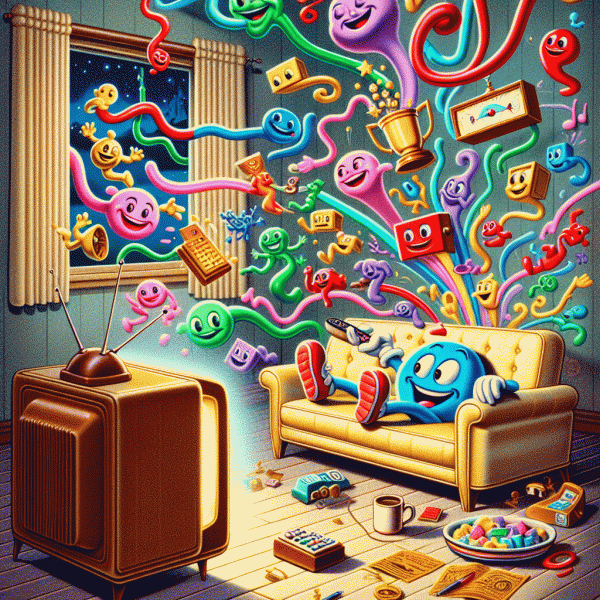
Think of a 25-minute episode as a tiny productivity playground: the screen gives you a rhythm and the story gives you natural attention breaks. The trick is to treat each episode like a structured sprint rather than background noise. Before the show starts, pick one focused task that needs uninterrupted attention and two or three lightning tasks that can be done in five minutes or less. Keep them visible on a sticky note or a single note app so you do not waste time deciding what to do. This pre-choice turns passive scrolling into purposeful micro-work and makes every scene change feel like a cue to switch gears.
Here is a simple, repeatable checklist to run during a 25-minute runtime. 1) Two-minute setup: hit play, toggle closed captions or background audio to the level you prefer, silence nonessential notifications, and set a 25-minute timer with two nested alarms (one mid-episode, one for the end). 2) First 10 to 12 minutes: attack the focused task in one block while still following the episode. If the show has a predictable intro or exposition, use that span to concentrate on something that benefits from deep attention. 3) Middle 8 to 10 minutes: switch to two 4 to 5 minute micro-tasks—quick emails, short edits, a rapid decision, or one phone call. Treat scene changes, commercial breaks, or credits as natural indicators to stop or shift task. 4) Final 2 to 3 minutes: wrap up, drop a one-line log of what was finished, and queue the next episode or the next checklist. The whole workflow keeps context switching to a minimum and makes the end of an episode feel like the finish line for small but meaningful work.
Use lightweight tools and tiny rituals to make this habitual. A single pomodoro-style timer that vibrates at the midpoint will keep you honest without killing the vibe. A voice memo or a one-line note app is perfect for capturing ideas during emotionally charged scenes so you do not lose momentum. If the episode is plot-heavy, move to lower-cognitive micro-tasks like tidying a surface, clearing three emails, or scheduling calendar items. If the show is low-effort or familiar, reserve that time for harder focus tasks. Physical setup matters too: a water bottle, good lighting, and a comfortable spot that still allows for quick typing or phone use will reduce friction. Over time a few simple tags like Fixed, Quick, and Tidy will help you pick the right task in seconds.
Finally, measure wins in tiny units. Keep a single list called Wins and add one line after each episode: task name, time spent, and one-sentence result. Aim for consistency over intensity—three small completions per episode add up fast. Test this on a light comedy first and then try a tense thriller; some genres are better for deep dives while others are ideal for quick switches. Do this for a week and you will see how many small victories accumulate between opening credits and end credits. By the time you reach season two, you will have a stack of completed micro-tasks that proves binge watching can be deliberate, fun, and quietly productive.
Popcorn-Sized Tasks: Tiny moves that boost your metrics while the plot thickens
Watching a show is a perfect excuse to sneak in work that actually moves the needle without ruining your chill time. Think of these moves as tiny gestures to your future self: five minutes here to improve a conversion rate, seven minutes there to tidy up a campaign tag. The aim is to trade passive screen time for low friction wins that stack up over a week, not to turn leisure into a grind. Keep the vibe relaxed and the tasks tiny enough that the plot will not feel interrupted.
Here are three snackable actions you can take during a single episode or between scenes to boost your metrics without breaking the flow:
- 🆓 Boost: Adjust one headline or subject line. Pick the current top performer and test a tiny tweak like swapping one word or adding an emoji. One edit, one A B test queued, results to review later.
- 🐢 Tidy: Clear one small backlog item. Archive three outdated leads, remove one stale tag from a campaign, or clean a keyboard full of old browser tabs tied to analytics. Small housecleaning keeps dashboards honest.
- 🚀 Share: Post one micro update. Clip a 15 second moment, write a two sentence caption, or schedule a boost on a single post. Micro content fuels reach without heavy production.
Make this ritual painless by mapping tasks to reliable cues. Use the first five minutes of every episode as a designated task block or use commercial breaks as timers. Keep a single note app open with three ready made task templates: edit headline, archive items, schedule post. Set a two minute limit per template. If the task is not complete when the scene returns, save it for the next break rather than forcing it. Over time this creates a repeatable habit loop of cue, action, reward that feels more like a game than a chore.
Track the payoff with simple, measurable signals. Instead of complex reports, watch one metric per task type: open rate for headline tweaks, tag counts for tidy sessions, engagement for micro shares. At the end of the week, add up the small wins. The math is friendly: ten tiny tasks are ten chances to learn, and a handful of tiny iterations often outperforms a single big launch. Celebrate with a snack not a spreadsheet.
If the goal is steady progress without sabotaging downtime, micro tasks are the secret weapon. They let you enjoy a great plot while quietly improving performance, one popcorn sized move at a time.
Skip-Intro Secrets: 5-second micro-triggers to nuke procrastination
There's a tiny, terribly satisfying click you make when you hit the little button that skips an intro — five seconds, instant momentum. Treat that click like a psychological shortcut. The trick isn't to willpower your way out of procrastination; it's to create a five-second ritual that snaps you out of passive scrolling and into purposeful action. Think of these micro-triggers as the remote control for your focus: quick, repeatable, and ridiculously easy to do between episodes or during commercial breaks so you can keep the pleasure of relaxation while actually getting things done.
Make the trigger laughably simple. A tiny menu of go-to moves you can do in under five seconds: Tap-to-Launch: double-tap the corner of your phone to open a 5-minute timer or the first task in your list; Stand-and-Step: stand up and take one step toward your workspace (momentum loves motion); Say-It-Start-It: speak the word “Go” or “Skip” out loud and then perform one small action like writing a single line or sending one email draft; Surface-Switch: move the remote or a coaster to your keyboard as a tactile permission slip; Micro-Trim: swipe the show away and replace it with a 3-minute task card. Each of these is playable in five seconds and engineered to short-circuit the internal debate that kills start-up energy.
Attach the trigger to an existing habit so it's automatic. Pair it with the natural pause between episodes: when the credits roll, execute your 5-second move before the “Next” button has a chance to tempt you. Keep a visible anchor — a sticky note on your TV, a labeled case on your coffee table, or a tiny physical token on your phone — that you touch as part of the ritual. Set your device so the first tap opens a task that's intentionally tiny: one paragraph, one text, one 60-second tidy. The fewer decisions required after the trigger, the more likely you are to ride the momentum into a meaningful win.
These micro-triggers work because they lower friction, not because they require heroic discipline. Five seconds is short enough that resistance rarely kicks in; the brain prefers motion over stasis. Over time, those 5-second starts stack into streaks you can notice — and that's where the real satisfaction lives. If you want a quick experiment: tonight, pick one trigger, use it before the next episode, and commit to one micro-action. Track it three nights in a row and watch how small wins rewire your binge habits into productive pauses.
This isn't about turning leisure into grind; it's about borrowing the power of tiny rituals to get things moving without killing the fun. Treat the skip-intro impulse like a design feature of your attention, not a nuisance. Try one of the five-second prompts for a week, tweak it until it feels oddly delightful, and you'll find procrastination loses its grip one tiny click at a time. Ready for a test run? Make tonight's skip count: press, perform, reward, repeat.
Ad Break Advantage: Turn pauses and cliffhangers into high-impact sprints
Think of commercial breaks and cliffhanger pauses as tiny productivity sprints that slot into the rhythm of your show instead of interrupting it. Instead of doom-scrolling or staring blankly at the loading spinner, use those 15–90 seconds to complete one concrete action that nudges your day forward. The trick is not to do a bunch of half-done things, but to pick a single micro-win that you can finish before the next scene—then relish that little dopamine hit and go back to the plot with zero guilt.
Make this practical by batching tasks by length. Have a mental menu of 10–30 second moves, 30–60 second moves, and a couple of 1–5 minute moves for longer ad breaks or when an episode pauses at a cliffhanger. Keep your tools within arm’s reach (water bottle, earbuds, a sticky note pad, or the app you use for quick tasks) so a break doesn’t turn into a setup exercise. Consistency beats intensity: one completed tiny task every break adds up faster than you expect and keeps the momentum of both your binge and your to-do list.
Here are three go-to micro-tasks you can cycle through without missing a plot twist:
- 🚀 Inbox: Archive, archive, archive—triage three emails or clear promos.
- 🔥 Tidy: Surface-clean one hotspot—desk corner, couch table, or a single pile.
- 👍 Move: Do 10 squats, stretch your shoulders, or refill a glass for hydration.
Reduce friction with a tiny setup ritual: before you press play, open the app or place the notepad you plan to use, name your default action for the first ad break, and set a 45–60 second timer if you tend to lose track. If you binge with a partner, agree on a “one micro-task per ad” rule so it becomes a small shared ritual rather than a distraction. Use the cliffhanger strategically—save slightly longer, higher-value tasks (a 2–4 minute brainstorm idea, a quick voice memo of a product thought) for those longer pauses, and stick to rapid wins during short ad bursts.
Finally, treat wins like data: keep a running note of what tasks you actually finish and how long they take. After a few episodes you’ll have a personal catalog of realistic micro-chores you can rely on during future breaks. Over time those tiny sprints compound—your living room looks better, your inbox behaves, and you still get to binge the season. Thatʼs television optimization with zero drama and a lot of low-effort wins.
Binge Without Burnout: Guardrails that keep focus, fun, and results high
Start every viewing session like it is a mini experiment: decide how many episodes you will watch, which microtasks you will accept, and what counts as a win. The trick is to install guardrails that treat entertainment hours as sculpted pockets of productivity, not an all-or-nothing slog. Timebox your sittings (45 minutes on, 15 off), pick one tiny, repeatable task to do between episodes, and set a playful consequence for going off-script — a five-minute dance, a glass of water, or relighting a candle. The goal is to preserve the fun of watching while harvesting momentum: a few completed microtasks per episode add up, and so does the feeling of control.
Make it concrete. Before you press play, queue a stack of tasks that are actually doable while attention is warm but not laser-focused: short surveys, simple tagging, quick app tests. Keep your phone or laptop ready with one reliable platform so switching costs vanish; if you need a place to start, try microtask marketplace for lightweight gigs that match snack-sized attention. Use a visible timer, enable Do Not Disturb for non-essential apps, and batch similar tasks so muscle memory carries you through credits and cliffhangers. When an episode ends, check off a task first, then decide whether to keep watching.
Protect focus without turning fun into a chore. Use a tiny checklist that lives on your screen: Start timer, Do one microtask, Hydrate, Resume. Keep tasks below five minutes and calibrate difficulty to the show’s intensity — save harder tasks for calmer scenes. Embrace the two-minute rule: if a task will take less than two minutes, do it immediately during a commercial or the credits. Automate repetitive entries with canned responses or templates, and silence apps that ping you with tempting detours. These small guardrails reduce decision fatigue and let you ride the pleasure curve of your favorite series while still collecting tiny wins.
Finally, treat the experiment like data. Track how many tasks you complete per episode and how you feel afterwards; tweak one variable at a time — shorter sessions, different microtasks, or a stricter reward — until the recipe fits. Celebrate incremental gains: little payouts, a new streak, or simply finishing a checklist are all valid trophies. When guardrails are playful, they become rituals, and rituals turn casual viewing into a reliable source of momentum. Try it for a week, and see how your couch time becomes both restorative and quietly productive.