Build Your Binge-Friendly To-Do: Tasks That Fit Between Scenes
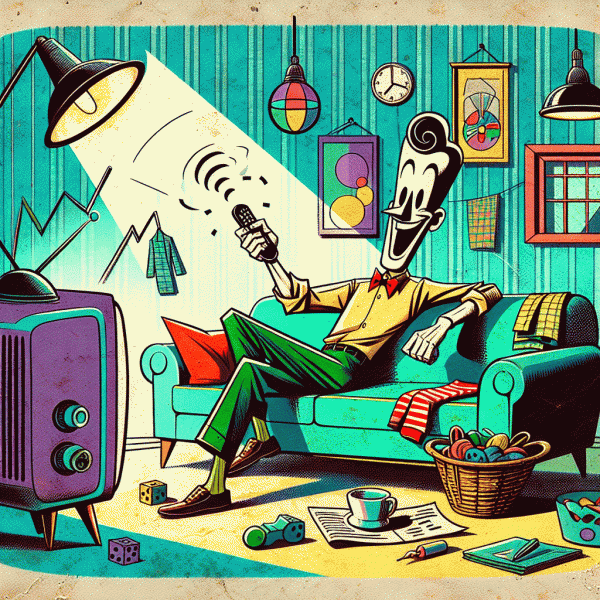
Think of each scene change as a tiny productivity window. Most streaming shows give you two to seven minutes between beats, which is enough time to chip away at tasks that otherwise sit on a to do list for days. The trick is to build a binge friendly list of actions that map to those micro windows: items that are single step, low friction, and rewarding to complete. When a cliffhanger hits, you press pause, finish a short task, then get right back to the episode with a little win logged and minimal context switching.
Start by auditing the sort of tasks that will survive a sudden return to the couch. Choose things that require almost no setup, do not require deep focus, and will not spoil a plot twist if attention drifts back in. Keep common tools within arm reach: a small basket with sticky notes and pens, a phone with preset message templates, a water bottle, and a laundry basket near the couch. Use a five minute timer or the episode length as a natural limiter. Pre tagging tasks by time estimate makes picking the right action during a scene break fast and painless.
Here are three small categories to populate a binge friendly to do list. Use each category to decide what to do when a scene ends and a quick win is possible:
- 🆓 Quick: One step tasks under two minutes like sending a canned reply or switching a load of laundry.
- 🚀 Boost: High impact micro chores that take three to five minutes such as scheduling a calendar slot or clearing eight email notifications.
- 💁 Reset: Small rituals to restore order between episodes, for example folding a shirt, wiping a surface, or refilling a pet bowl.
Fill your list with concrete examples that feel achievable. Quick items: reply with a template text, empty the coffee cup, toss recycling in the bin, or apply a tiny file label. Boost items: start a five minute timer to tidy one shelf, pay one small bill online, or draft the first sentence of a message you have been avoiding. Reset items: do a two minute stretch sequence, put away dishes from the sink, or take out one trash bag. Keep a running note on your phone with these exact phrases so there is no decision fatigue when a scene ends.
Finally, treat this as playful habit building rather than a new source of pressure. Track small wins for a few nights to see real progress stack up. If a plot grabs full attention, allow full immersion and skip the task; the goal is momentum, not perfection. With a tiny checklist, a spot for supplies, and a willingness to hit pause for two minutes, that extra episode becomes a reliable productivity partner instead of lost time. Try it tonight and notice how a handful of micro tasks turns binge time into real forward motion.
The 10-3-1 Sprint: Tiny bursts that actually ship
You can keep the popcorn and still get stuff done. The 10-3-1 approach is your micro-productivity remote control: a way to harvest tiny wins in the blurry minutes between plot twists. Start by brainstorming ten tiny, well-defined tasks you could realistically chip at while the show is on — think email subject lines, a short bug repro, a one-paragraph draft, or a single design tweak. From those ten, pick three that actually move a project forward, then commit to finishing one of them before the credits roll. It's not about doing everything; it's about shipping one meaningful piece so your momentum compounds episode after episode.
Turn that abstract plan into a runtime-friendly routine: pick tasks that fit snack-sized attention spans, set a one-episode finish line, and trade vague goals for micro-deliverables. Use this quick checklist to slot the right kind of work into TV-time without breaking your focus:
- 🍿 Brief: A tiny, clear deliverable like "write 1 email paragraph" or "create 1 test case" so you don't have to rethink scope mid-episode.
- 🚀 Impact: Choose work that unlocks progress—something that others can use or review without extra hand-holding.
- 💥 Finish: A completion criterion you can realistically hit in 20–45 minutes (or one episode plus the credits).
Practical tips: use a timer synced to the episode runtime (or pause at the end of a scene), keep a single plain-text list open, and remove anything that requires a long context switch. If you're tempted to multitask with heavy thinking, downgrade to review work: proof a paragraph, label files, or tidy a task board. Commit to the 10-3-1 cycle for a week and count shipped items, not hours. You'll be surprised how those nibble-sized completions add up — and how much nicer it feels to close one meaningful thing rather than toggling between ten half-done ones. Try it tonight: pick your ten, choose three, ship one, and let the credits be your applause.
Set the Stage: Couch-friendly tools, shortcuts, and automations
Make the couch your command center by favoring gadgets and micro-routines that ask for zero willpower and one hand. Think voice quickies, a programmable remote, and a phone or tablet ready with a split screen. Keep a small tray by the armrest for the essentials: a phone, a compact keyboard or one‑thumb text expander app, and a sticky note with one sentence goals for that episode. The idea is to remove friction so the brain can glide from laughter to little wins without missing a plot twist.
Equipments and tricks that play nice with popcorn time come in three simple buckets to set up right now:
- 🚀 Remote: Program a single button to open a playlist, mute notifications, or trigger a "do this later" action so decisions are taken care of.
- 🤖 Shortcuts: Use phone or tablet shortcuts to paste canned replies, create todos, or clip articles with one tap and one thumb.
- ⚙️ Automations: Wire IFTTT, Shortcuts, or Zapier to log completed microtasks to your to do app, save links to a reading list, or transcribe quick voice notes.
Turn those tools into steady gains with tiny process rules: limit microtasks to two minutes, batch ten identical items, and trigger work only during low stakes moments like credits or snack refills. Set a soft timer for each break so you never miss the next scene, and label your text snippets for the top three messages you send most while relaxed. For automation lovers, a good starter trio is: auto save links to read later, auto add a one line todo when you star an email, and auto transcribe a 30 second voice note into your journal. Test each one on a commercial break to ensure it behaves.
Keep it playful and forgiving so the system survives season finales and cliffhangers. If a scene demands full attention, pause the automation and enjoy the show. When the story resumes, your tiny achievements will be waiting, neatly logged in the background. Set up one shortcut and one automation tonight, then watch how small, repeatable nudges turn spare screen time into steady progress.
Plot Twist Protocol: What to do when the episode gets too good
When the episode grabs you by the throat and will not let go, treat that surge of attention like a resource rather than an enemy. The idea is simple: convert the emotional pull into a timing mechanism for tiny wins. Designate natural story beats as checkpoints — character exits, scene cuts, or cliffhanger lines — and use them as permission to do one quick action that moves a project forward. That way the show gives you momentum and you steal back a little progress without spoiling immersion.
Keep a three-item emergency kit of micro-tasks so decision fatigue never ruins the pause. Stash them where you can reach without thinking — a bedside note, a lock screen reminder, or a voice memo app. When the plot twists and your willpower bends, reach for one of these instead of scrolling endlessly. Here are three reliably satisfying choices:
- 🔥 Timer: Start a 5-minute countdown and complete one focused micro-task before the next scene.
- 🆓 Quickwin: Do a two-minute chore like empty one dish, send one short reply, or clear a single notification.
- 🚀 Bookmark: Record a one-line note or voice memo that captures the idea you do not want to lose, then return to the episode.
Match the task energy to the scene energy. Intense scenes pair well with fast, tactile actions that do not require deep thinking — folding a small pile of laundry, sorting three papers, or setting a timer for a focused 10-minute task you will attack after the episode. Calm, expository scenes are better for micro-planning: outline two bullet points for an email, add a single event to your calendar, or type a subject line you can revisit later. If the show becomes irresistible, implement a single-boundary rule: allow yourself to watch to the next natural stop only after completing one preapproved micro-step. That micro-wager keeps momentum on your side.
Turn this into a playful habit rather than a chore. Track how many tiny victories you collect per episode for a week and celebrate the small stack of progress you built while still enjoying the binge. Try one variation tonight: pick three micro-tasks, set your timer, and treat each cliffhanger as a mini checkpoint. You will be surprised how quickly "just one more episode" becomes "just one more win."
From Couch to KPIs: Track micro wins like a pro
Think of your next episode as a mini-sprint: 40–60 minutes boxed with predictable breaks built-in. The trick is to replace the vague "I did something" feeling with a simple, repeatable metric. Pick 2 or 3 micro-KPIs that matter to your bigger goal and assign each a per-episode target. Examples: triage 5 emails, do a 3-minute mobility routine, learn 8 flashcard words, or write 200 words. Keep targets binary or countable so wins are obvious: hit the target and you get the win; miss it and you know what to tweak. This keeps the psychology of progress intact and converts passive screen time into discrete progress nuggets.
Make tracking so painless that it does not interrupt the show. Three low-friction methods: a sticky note on the coffee table, a quick row in a habit app, or a single-column spreadsheet where each episode is a new row. Use a compact format: KPI name — episode target — result. For example: Emails — 5 — 5; Stretch — 3x30s — 3; Spanish — 8 words — 8. If you prefer gamification, award 1 point per completed KPI and 2 bonus points for completing all KPIs in an episode. Keep a running weekly total so you can compare episodes to episodes and spot momentum.
Now turn those micro-wins into measurable insight. Calculate your episode velocity: average wins per episode times episodes per week equals weekly output. If you average 2.2 wins per episode and watch 10 episodes, you're netting 22 micro-wins a week — then ask how many of those map to bigger OKRs. Use a 2-week rolling average to avoid overreacting to a single binge night. If a metric stalls, refine the target (maybe 200 words is too ambitious for an episode; drop to 120). Visual cues help: color-code rows green for hit, amber for partial, red for miss. That pattern tells you where to tighten or celebrate.
Finally, make celebration part of the system. Schedule a small reward for weekly thresholds — a treat, a new book, or a dedicated no-screen hour — and log the win right after credits so the behavior becomes automatic. Challenge yourself: tonight pick two KPIs, set episode targets, and log the result before the next opening credits roll. In less than five minutes you convert "one more episode" into repeated, trackable progress, and that cumulative drip is the difference between wishing for change and actually shipping it.