The Popcorn Plan: One tiny task per scene, zero overwhelm
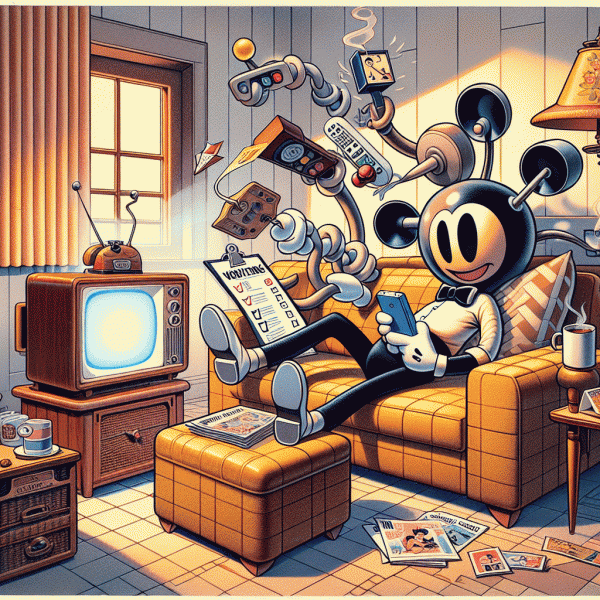
Think of a TV scene as a tiny productivity window. A chase sequence, a lovers quarrel, or a commercial break is not just entertainment time; it is an invitation to accomplish one very small, well defined action. The rule is simple: one tiny task per scene, done before the next cut or the next opening credits. Keep the task atomic so completion feels immediate. That sense of completion is the secret sauce that turns passive bingeing into a gently productive habit without turning the couch into a bootcamp.
Begin with a one minute test run and build from there. Choose a scene, pick a task you can finish within that scene, and stick to a single focus. Make the process obvious by creating a short list of go to micro tasks and a tiny token system to mark wins. Try this quick starter list to lock in the routine:
- 🆓 Warmup: Stand and stretch for the length of the scene, fold one laundry item, or refill a water bottle.
- 🚀 Micro Move: Clear five email subject lines, rinse a dish, or write a two sentence note to self.
- 👍 Reset: Wipe down a counter, toss one item into donation, or tidy a single shelf.
Task selection is everything. Aim for actions that do not require shifting major context or fetching complicated supplies. A good test: if the task can be described in seven words or less it is probably scene sized. Match the task to scene length; long scenes can handle a slightly bigger micro chore but avoid anything that could spiral. Use visual cues to help you engage the plan. For example, place a small bowl of popcorn tokens beside the remote and move one token into a Done cup after each completed task. That tiny ritual creates momentum and lets the brain enjoy completion without pressure.
When you are ready to scale, add one simple rule: never start a task that requires more than two consecutive scenes. If something bigger appears, break it down into scene sized steps that each feel satisfying to finish. The payoff is real. By the end of a season you will have moved through dozens of micro wins while still enjoying your show. This method keeps relaxation intact, preserves attention for story beats, and gives you the quiet thrill of having achieved more than you expected. Try it for a week and notice the small but cumulative change in how time at home feels.
Couch Command Center: Timer, tray, and two‑tap to‑do
Set a tiny command center on the couch and turn passive streaming time into a parade of tiny wins. The idea is simple and absurdly effective: one flat tray for the essentials, a visible short timer for accountability, and a two tap system to capture any thought or task before it evaporates into the credits. Keep everything within arm reach so micro tasks feel like part of the show, not an interruption. This is less about productivity theater and more about low friction wins that stack up by the time the season finale rolls around.
Start with three essentials to build the station quickly and painlessly:
- 🚀 Timer: Use a visible 5 to 12 minute timer for single sprint tasks. Short, precise bursts keep attention anchored to the screen while letting your hands do something useful.
- 🆓 Tray: A small tray or shallow box holds a pen, tiny notebook, water, and a charging cable. No searches, no table trafficking, no pause panic.
- 👍 Tap: A two tap capture method for tasks and ideas. Create a home screen shortcut or a widget that opens your task app with a prefilled title so you can log a task in two taps flat.
Here is a step by step for the two tap capture. On iOS use Shortcuts to make a single action that adds a titled reminder and then add that shortcut to the home screen. On Android add a Quick Add widget from your task app or create a simple automation that opens a new task with a default tag. If you prefer voice, program a phrase that creates a task and pin the voice shortcut to the lock screen. The whole point is this: if it takes more than two taps or a single phrase, it is too bulky for micro-tasking during a show.
Use the system when micro moments appear between scenes and during credits: reply to a two line email, clear one clutter hotspot, refill a plant, or schedule a dentist reminder. Reward small streaks with a snack or a longer show break and let the tiny wins compound. The couch command center keeps leisure cozy while stealthily moving you forward, one five minute mission at a time.
Leverage Natural Breaks: Intros, recaps, and cliffhangers as micro‑deadlines
Television shows are generous timekeepers: an opening montage, a thirty second recap, and that delicious cliffhanger all quietly create pockets of time. Treat those pockets like tiny appointments instead of interruptions. Before the episode ramps up, pick one or two micro tasks that match the length of the break you expect. The trick is to match task size to scene length so the work feels like a natural part of the watching ritual rather than a jarring productivity grind.
Start with a quick scout. Scan the episode length and note the intro and recap cues. Then, build a tiny list of tasks you can finish in the smallest unit available: 20 to 60 seconds for intros, 60 to 180 seconds for recaps or midrolls. Examples: archive three emails, send a one line reply, unload a dishwasher plate, set a reminder, or delete ten unneeded photos. Keep tasks binary and finishable so there is a clean sense of completion before the next scene starts.
Use the cliffhanger as your stoplight. When the scene cuts to black or the title card rolls in, that is your signal to drop the task and return to the show. This prevents the slippery slope of trying to multitask during complex scenes and preserves attention for the best parts. For the slightly longer recaps and end credits, pick tasks that require just a smidge more focus: jot two bullet points for tomorrow, outline a short message, or move items into a single folder. A visible timer helps: your phone, a smartwatch, or a voice assistant can do the counting for you so you can focus on execution.
If you want to automate the whole thing, a tiny productivity helper can make this effortless. Tools that detect intros and recaps and pop up a 30 to 90 second task prompt remove the mental overhead of choosing what to do next. With such a helper you will get suggested micro tasks, one tap start timers, and a friendly reminder at cliffhangers to stop. The payoff is real: more small wins without sacrificing relaxation. Try setting up one small sequence tonight and measure how many quick tasks you finish across a single show.
This method is low friction and surprisingly satisfying. To put it into practice right away: pick one show, choose three micro tasks aligned to the typical breaks, use a countdown tool, and honor the cliffhangers as stop points. Over a week, those tiny completed items compound into meaningfully fewer small annoyances. Embrace the tiny rhythm: watch, work briefly, celebrate a micro win, and then go back to the story. Small deadlines, big momentum.
The Two‑Track Flow: Low‑brain tasks during dialogue, quick sprints during tension
Treat your attention like a two lane road. When the show is in a soft spoken scene, your brain is cruising in the slow lane and can handle calm, repetitive tasks without drama. When the plot throws a twist and the heart rate jumps, slam into the fast lane for sprint tasks that finish in the time it takes to catch a breath. The trick is to plan both lanes before you press play so you do not waste precious seconds deciding what to do mid‑episode.
Start with a tiny rule set: low brain tasks are longer and forgiving, quick sprints are tiny and reversible. Examples of low brain work include folding laundry, sorting receipts, tagging photos, or clearing an inbox of obvious junk. Give these tasks a 10 to 20 minute window and do them without aiming for perfection. For the sprints pick actions that can be completed in 30 to 90 seconds: reply to a short message, delete five irrelevant files, or mark three emails for follow up. Use the show as your natural attention timer instead of your phone.
To make this plug and play, use three categories you can reach for without thinking. Keep the list visible next to your remote or in a sticky note app so you never invent new tasks on the fly.
- 🆓 Low: Calm chores that tolerate interruptions, for example folding laundry, unsubscribing from newsletters, or slowly categorizing photos.
- 🚀 Sprint: Fast finishers that you can do between beats, such as sending a one line reply, deleting unwanted files, or clearing three emails.
- ⚙️ Tidy: Mini setups that reduce future friction, like moving items to a to do list, creating one calendar event, or stomping out desktop clutter.
Finally, calibrate by running one episode as a practice round. Note where your attention dipped and swap tasks accordingly. If a particular show is heavy on action and jump cuts, its rhythm favors sprinting; if dialogue dominates, load up your low brain list. Keep rules simple: no heavy creative work during tension, and no decision heavy tasks while sipping a drink that might spill. After a few tries you will find a groove where the show remains enjoyable and your to do list actually shrinks. This is not multitasking for the sake of busywork, it is intentional micro tasking with the entertainment doing the timing for you.
Make It Stick: Rewards, streaks, and a no‑guilt stop rule
Imagine the next time you open a new show and your thumbs do more than scroll. The trick is not brute forcing productivity during leisure, it is engineering tiny, obvious wins that feel like play. Start by picking one microtask that pairs with passive scenes: sorting three emails, transcribing five seconds of a meeting, or submitting a quick usability note. These microtasks should be so small that friction is the enemy. Set up a visible cue on the couch or coffee table so your brain learns that episode bump equals a tiny accomplishment, not a chore.
Turn progress into pleasure with a reward ladder that actually works. After a single successful sprint, give yourself a snack, a stretch, or a silly five minute dance. After a streak of three sprints, permit a premium dessert or switch to a favorite show. If you want to monetize the habit, intersperse tasks that pay: sign up for platforms that let you get paid to test websites in short bursts while your eyes watch a predictable scene. Rewards must be immediate and enjoyed in the moment so your brain links the task to positive feedback faster than it learns to procrastinate.
Streaks are the secret sauce. Use a simple tracker on your phone or a calendar dot to mark every session you complete. Aim for an impossible looking but realistic goal like ten microtasks a week, then shrink it until it feels laughably easy. Gamify: give each streak a name, add a tiny visual badge, or compete with one friend. A small loss aversion trick helps too: pledge a tiny forfeit if you break your streak, like washing someone else s dishes or donating a dollar to a silly cause. The key is consistency over intensity; a five minute win every night beats an epic but rare marathon.
Now the most compassionate rule of all: the no guilt stop rule. Before you begin, decide the stop condition and treat it like sacred. Examples include stopping after one episode, when a task becomes mentally taxing, or once the plot gets interesting enough that focus is required. Use a lightweight timer to enforce the boundary so emotion does not steal your plan. If you miss the target, log the reason without scolding yourself. That one line of data will reveal patterns far faster than willpower. In short, permission to quit is not failure; it is smart conservation of attention.
Implement these ideas with one quick checklist and an easy setup.
- 🚀 Timer: Use a 10 to 15 minute sprint and a visible countdown.
- 🔥 Reward: Plan an immediate micro reward and a bigger weekly treat for streaks.
- ⭐ Limit: Decide a stop rule before the session and honor it no matter what.