Turn "Skip Intro" Into "Ship Intro": Tiny Tasks For Every Cue
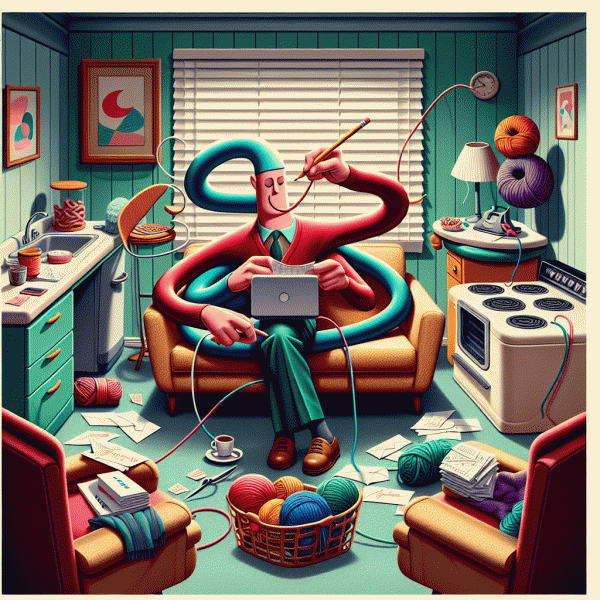
Think of the moment you muscle your thumb to “Skip Intro” as a tiny productivity hinge: three seconds, a natural pause, perfect for shipping something micro. The trick is to map each streaming cue to an equally tiny, satisfying action that requires no heavy context-switching — stuff you can finish in the time it takes the cast list to scroll. Make a rule (and a sticky note on your remote): when you see the cue, do exactly one small, useful thing. Over an episode that adds up to real progress without stealing focus from the plot.
Here are three jump-in actions you can rotate through so you never stare at the credits wondering where the time went:
- 🆓 Inbox: Archive or reply to one email with a two-line answer — aim for speed, clarity, and send. It takes the friction out of an inbox that likes to breed.
- 🚀 Quick: Push one tiny build, commit, or checklist item: rename a file, tag a sprint task, or mark a deliverable as done. One small ship keeps momentum alive.
- 💬 Reflect: Drop a single-line note in your journal or note app: “Wins: X. Next step: Y.” That one habit turns scattered thoughts into a usable trail.
If you want to monetize the habit or hand off tiny jobs you don’t want to do yourself, try make money apps — a quick way to post bite-sized tasks that others can pick up while you keep the binge going. Tapping that resource turns your five-minute pauses into either cash or outsourced shortcuts: win-win for your attention economy.
Operationalize it: decide on a 30–60 second action list, set a gentle timer on your phone if you worry you’ll keep scrolling, and batch similar micro-tasks so your brain stays in one mode. Keep a “skip intro” cheat sheet next to the couch — two-word prompts like “Email 1,” “Commit 1,” “Note 1.” Over a season those tiny acts compound: you’ll clear work, build habits, and still have time to gasp at the plot twist. Try it on the next episode; you’ll be surprised how often “skip” becomes “ship.”
Scene Sprints: 2–5 Minute Micro-Missions Between Plot Beats
Think of the show as your natural timer: plot beats give you breathing room, and those breaths are perfect for tiny bursts of productivity. Instead of trying to do everything at intermission, carve the episode into 2–5 minute "scene sprints" that slide between cliffhangers and cues. The trick is to treat those sprints like tiny missions with a single, obvious goal—finish a stretch, tidy one surface, triage three emails—so you can sprint, stop, and instantly re-engage with the screen.
Set up a scene-sprint kit before you hit play: a running timer, three pre-picked micro-tasks, and a place to stash anything that will take longer. When the camera cuts or the music swells, glance at your list, pick the task that matches the available seconds, and start the timer. Keep tasks categorical so you don't have to make decisions mid-show—physical (shoelaces, dishes), digital (archive three emails, clear one tab), and mental (one breathing set, jot one idea). The fewer choices, the less cognitive friction between suspense and action.
Make a tiny repertoire you can pull from instantly:
- 🚀 Warmup: Do a 2–3 minute mobility series to wake your body before the next scene.
- 🆓 Tidy: Clear one visible surface or toss three things into a basket for later.
- 🔥 Focus: Handle three short inbox items or draft two quick replies.
Finally, treat it like a game, not a punishment: reward yourself with full attention to the show after each sprint, and don't force a task if a scene calls for eyes-on. Use a gentle timer sound that respects the mood, and adjust sprint length by episode pacing—dense dramas mean shorter bursts, sitcoms often allow a little more breathing room. Over a week you'll discover which micro-missions give the biggest payoff without stealing the joy of watching, turning your leisure time into a surprisingly efficient and playful little productivity habit.
The Couch Command Center: Preload Templates, Checklists, and Quick Links
Turn your sofa into a productivity cockpit by building a tiny, reliable setup you can deploy between scenes. The idea is that every micro task should require no more than a two step mental switch: open the right template and hit the action button. Start by naming three go-to task types you will actually do while streaming (quick replies, social comments, one-line notes). For each type create a ready-made template and store it where it opens in a single click. That single click philosophy is the secret: if saving a new contact or sending a canned message takes longer than the ad break, the moment is lost.
Create templates that are both tiny and specific. For email and messages keep placeholders like [NAME] and [POINT] so you can replace text with minimal typing. Use a text expander or a note app with pinned snippets for recurring responses such as meeting confirmations, follow ups, and short feedback notes. For creative tasks, use a simple outline template: 1) Hook line, 2) Evidence or example, 3) Call to action. Store these in a cloud doc, a dedicated browser bookmark folder, or a snippets manager so they are synced to phone and laptop. The goal is to paste, tweak one or two words, and send.
Pair templates with bite sized checklists and one tap opening links. A checklist prevents scope creep during a cliffhanger. Keep a visible micro checklist like: check, edit, send. Use timers of two to seven minutes and stop at the alarm. To make this launchable in one motion, assemble a tiny command panel with three essentials:
- 🚀 Template: A one line canned response for email or DM so replying takes ten seconds.
- 🤖 Checklist: A three item list (Prepare, Edit, Send) that keeps tasks under control during episodes.
- 💥 Shortcut: A bookmark or shortcut to a document, draft, or auto-fill form that opens in one click.
Finally, solidify the habit with a pre-episode ritual. Before hitting play, open the command panel and set a timer for the micro session you plan to do during the first act. Keep the command panel in a browser window or on your phone home screen so reaching it does not require hunting. Favor tasks that have immediate outcomes so the dopamine loop stays positive: a sent email, a posted comment, a saved idea. With templates, checklists, and quick links wired up, the couch becomes the place where entertainment and tiny victories meet, and the next show becomes a productivity-friendly background.
Rewards Without Regret: Binge Rules That Keep You Focused and Happy
Think of this as a little behavioral engineering for your sofa: the goal isn't to banish pleasure, it's to design it so you leave the evening happier and your to-do list slightly shorter. Start by turning every episode into a built-in checkpoint. That means you decide in advance which tiny wins earn you screen time and which episodes are pure chill. Pre-commitment is your friend: write a one-line contract (mentally or on your phone) that pairs a specific micro-task with the episode you want to watch. That small act of planning removes the \"maybe later' mental tax and lets you enjoy the show without the nagging feeling that you should be doing something else.
Make rules that are playful, simple, and non-punitive. For example, adopt an Episode Contract: finish one 10–15 minute micro-task (reply to emails, fold laundry, prep tomorrow's lunch) and you get one episode. Use an Intro Pause: let the opening credits run while you knock out a two-minute task. Reserve a Big-Reward Slot: for achievements that take longer—a season finale can be saved for finishing a bigger chunk of focused work. Keep the rules few and memorably named so you don't need willpower to remember them.
Now design your rewards so they're indulgent enough to feel earned but gentle enough to avoid regret. Swap the automatic bag of chips for a small, enjoyable reward that won't make you feel sluggish afterward: a favorite herbal tea, a five-minute stretch and deep-breath break, or a quick call to a friend that leaves you smiling. These are no-regret rewards because they restore energy and mood rather than depleting them. If edible treats are your weakness, pre-portion them before you start so the reward remains the ritual, not the overeating. Also try sensory rewards that don't conflict with productivity later—lighting a candle, putting on a special playlist, or switching to a cozy blanket signals celebration without consequence.
Finally, scaffold the habit with tiny nudges: set a gentle timer to end the episode, put your phone on Do Not Disturb except for one pinned timer app, and keep a visible tick-box list of micro-tasks so each episode feels systematically productive. If a rule doesn't feel good after a week, tweak it—flexibility beats moralizing. The payoff? You get the pleasure of a binge plus the satisfaction of progress, and the next morning you won't wake up with crushing regret. Try one simple contract tonight and treat it like an experiment: you might be surprised how much more focused and contented a little structure can make your Netflix time.
From Background Noise To Background Wins: A Sample 30-Minute Playbook
Think of this as a couchside sprint rather than a distraction. The goal is not to power through a thesis while watching a plot twist, but to harvest little wins that stack up by the time the end credits roll. Start by deciding what kind of background work fits the evening: low cognitive load, high satisfaction, and minimal context switching. Keep it to one clear mission so attention does not ping pong. Place everything you need within arm reach, set your device volume to conversational, and enable subtitles so the soundtrack becomes companion noise rather than an attention thief.
0 to 5 minutes: a micro ritual that sets the session up to win. Pick an episode with predictable pacing or a light rewatch so surprises stay rare. Choose a single micro task you can realistically progress in fifteen minutes, for example: clear a small inbox batch, tag and archive receipts, sort five photos, prune three bookmarks, or fold one laundry basket. Gather supplies now: headphones, notebook, a water bottle, the mouse, or the laundry basket. Start a visible timer for 30 minutes and add a smaller marker at 20 minutes so you know when to switch into closing mode.
5 to 20 minutes: the core sprint where background noise becomes background wins. Use a focused burst of 15 minutes and treat it like a tiny Pomodoro. Keep the task granular: break a larger chore into 20 small actions and aim to finish as many as possible. For email, use templates and two-click replies; for tidying, use the one-touch rule where each item is moved to its final place once. If the task is creative, do rapid iterations rather than perfection. If a compelling scene demands attention, pause the task and bookmark your place in the workflow so restarting is frictionless. Remember that subtitles reduce listening load and make it easier to code, sort, or fold while following a dialogue.
20 to 27 minutes: quick triage and closure. Spend seven minutes deciding what is done, what can be delegated or automated, and what needs a follow up with a calendar slot. Capture any lingering ideas in a single note so they are off your mind. Use quick wins now: send templated replies, toss trash, stack folded clothes, or hit archive on old messages. 27 to 30 minutes: a short review and reward. Mark progress, log one sentence about what moved forward, and give yourself a small victory ritual like a stretch or a celebratory snack. Repeat the cycle if needed, or let the show become the main event. This playbook turns passive watching into a practical productivity rhythm without killing the joy of downtime.