Turn Couch Time Into Done Time: The Micro-Task Menu
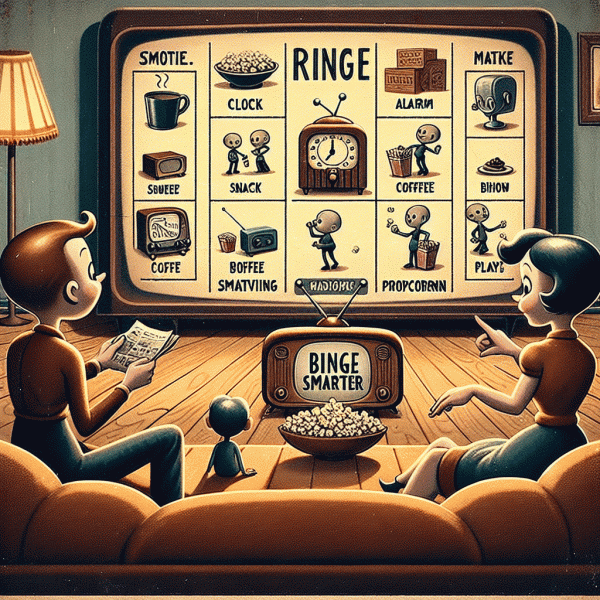
Think of your screen time as a playlist of productive intermissions. Instead of doomscrolling through credits or doompausing on cliffhangers, design a tiny menu of doable tasks that match the typical length of what you watch. Keep three columns in mind: sprint snacks for two to eight minutes, steady bites for ten to twenty minutes, and full-episode projects that take twenty to thirty minutes. When an episode ends, glance at the menu, choose one item, set a simple timer, and treat that single task as the episode wrap ritual. This makes the jump from passive to active feel natural and low friction.
Now make an actual menu. For sprint snacks pick items like clear five emails, water the plant collection, do a two minute face wash or quick desktop tidy. For steady bites include things like prep one meal component, read five to ten pages, draft a short reply, fold a small laundry batch or sweep a room. For full-episode projects choose things such as batch process receipts, deep clean the kitchen counter, outline a short blog post, or go for a brisk 20 minute walk. Label each entry with a time estimate and one clear action verb so selection is painless when you are relaxed and possibly distracted by plot twists.
Make the system idiot proof. Keep the menu somewhere obvious on your phone home screen or taped to the coffee table. Use a timer app with prebuilt intervals so you do not lose seconds fiddling. Pair tasks with specific episode moments: do sprint snacks during opening credits, steady bites before the mid episode ad or after a commercial break, and full projects during a movie or double episode. Use a one sentence template for repeatable items, such as "Reply to 3 emails with the quick template," and save that template in Notes for instant use. If an idea pops up mid-show, capture it in a voice memo and return to the plot without derailing your momentum.
Finally, make success feel delicious. Track completed items with a simple tally — three ticks and you earn a small treat, five ticks and you get a no chores night. Rotate and refine the menu weekly: what felt like a sprint might actually need more time, or a steady bite could be shaved down. Over time you will build a library of go-to micro tasks that fit any mood and any show length. The beauty of this approach is that it turns passive leisure into a tiny engine of progress without making relaxation feel like work, and that means more wins and more guilt free downtime.
The 3-Scene Sprint: A Focus Rhythm That Works With Any Show
The 3-Scene Sprint turns passive streaming into a playful focus rhythm. Instead of collapsing into an all-night spiral, treat each scene as a small, consumable unit of attention: three scenes in a row, then a short break. Most modern dramas and comedies naturally segment into 4–8 minute scenes, so a sprint lands at roughly 12–24 minutes of engaged watching. That is long enough to enjoy narrative flow but short enough to maintain intentionality. Think of it as a low-friction Pomodoro specifically calibrated for shows: you get immersion and momentum without losing an entire evening to the couch vortex.
Here is how to put it on autopilot. Before you hit play, pick three scenes as a block, set a simple timer, and decide on one or two micro-actions to do during the break that will cost you no more than 90 seconds to 3 minutes. These micro-actions can be physical resets, tiny chores, or quick wins that add to your day rather than subtract from it. If you like monetizing spare moments, line up short gigs from a task marketplace that match that time window so you can earn a little while you recharge. The key is to keep the breaks brief and purposeful so the story still feels continuous when you return.
- 🆓 Quick: Stand, stretch, refill your drink, and wipe one counter; instant clarity and zero regret for snacks.
- 🚀 Reset: Two minutes of breathwork or a screen break to reset attention before the next scene drops plot beats.
- 👍 Earn: Complete a 90–180 second micro-task for a small payout or progress point; it feels like pocket change and momentum.
Use the sprint in service of both story and productivity. Aim for three sprints per episode on heavy plot nights or fewer if the show is dialogue-dense. Keep a scoreboard if gamification helps: three sprints completed equals one dessert, or a point toward a weekend reward. Avoid overengineering—this is meant to enhance enjoyment, not disrupt it—so experiment with scene counts and break types until you find a rhythm that preserves cliffhangers and reduces guilt. The result is smarter bingeing: you finish more episodes, do small useful things, and arrive at the end of the season feeling pleasantly accomplished rather than mildly devastated by lost evenings.
No Distractions Toolkit: Timers, Lists, and Tiny Wins
Think of this toolkit as the remote control for your attention: push the right buttons and the show does not eat your life. Start by treating scrolling, snack raids, and fifteen-tab multitasking as optional ad breaks. Pair a short timer with a tiny list and you get a micro-tasking loop that fits between intro cards and cliffhangers. The goal is simple and oddly satisfying: finish small, visible tasks while still enjoying the show, so leisure feels like productive recharge instead of passive bleh.
Set a clear timer habit and stick to it like a favorite binge ritual. Try a 10 to 20 minute sprint that lands on a scene change so interruption feels natural. Use a visible list of 3 micro-tasks — the kind you can finish in one timer — and treat each completed item as a scene beat. Use phone Do Not Disturb and one distraction blocker app if needed, but the real win is using the timer as a promise you make to yourself: work for a tiny burst, then celebrate by returning to the show. If a task needs more than two sprints, trim it into smaller steps or postpone it to a dedicated session.
- 🆓 Timer: Pick a short interval that matches episode structure, like 12 or 18 minutes, then stop at a natural break.
- 🚀 List: Keep three micro-tasks only — clear, specific, and finishable in one sprint.
- 🔥 Win: Log one small reward per completed sprint, such as a five minute stretch or a celebratory emoji on your list.
Make tiny wins a tracked habit. Every completed sprint builds momentum and turns chores into micro victories that stack over the week. If you miss one sprint, treat it as data, not failure: adjust the timer, simplify the task, or swap the environment. Use a visible marker — a checked box, a sticker, or a tiny note on the TV stand — to celebrate progress. Over time this toolkit trains your brain to prize short, focused work followed by high quality relaxation. That is the secret sauce: enjoy the show, get the small stuff done, and keep both feeling deliberate and delightful.
What To Do During Intros, Recaps, And Credits
Those 30 to 90 seconds of intros, recaps, and credits are not dead air; they are micro-work sessions you can actually stick to. Treat each break like a productivity checkpoint: tiny, rewarding, and low friction. Instead of doom scrolling, pick one micro-habit to execute the moment the theme music or recap cards roll. The trick is to make the action so small it feels trivial but so consistent it accumulates: a single stretch, a two-sentence note, a five-count breathing reset, a one-minute tidy. These are the small wins that keep the binge momentum friendly instead of autopilot.
Physical reset: Stand up and do a quick reset that wakes your body without derailing the mood. March in place, touch your toes, refill your drink, or do a 60-second desk stretch. Mini administrative: Use the recap to update one line in your watchlist system or to flag an episode timestamp you want to remember. A one-line tag like "ep3 — great twist" is enough to make future searching painless. Mental bookmark: Jot one idea the episode sparked: a plot theory, a favorite quote, or a character trait to track. Keep a cheap notebook or a notes app open and let the recap be your cue to capture the thought while it is fresh.
Recaps are especially fertile for learning and social micro-tasks. If the recap repeats character beats, use the time to Google one small fact about the setting or a cast member and add it to your mental file. If you are watching with friends or a group chat, drop a single reaction or a one-sentence hot take during the credits instead of waiting until later. Want to practice a language? Repeat a line of dialogue in the target language and pretend you are the actor for five seconds. Tiny creative moves like this keep you engaged with the show and strengthen a new habit without stretching attention beyond what it can handle.
Credits are practically a treasure map if you treat them like one: scan for a composer, director, or writer name you want to bookmark, then add that person to a slim discovery list. Use the credits as a transition ritual so you do not fall into automatic next-episode mode: take the first 30 seconds to reset—brew tea, walk to the window, or do one breathing cycle—and then make a clear choice: press play or stop. The goal is to transform passive time into intentional micro-actions that make the entire binge session feel smarter, more memorable, and somehow more human.
Stay Chill, Not Guilty: Boundaries So Netflix Stays Fun
Hit play on relaxation, not a guilt spiral. Treat your streaming time like a ritual with built-in stop signs: a simple pact you make with yourself before the opening credits. Decide the number of episodes you will watch, pick a low-effort “reset” task to do between them, and put a visible timer on the coffee table (or your phone). That tiny friction point — a 3–7 minute micro-task between episodes — turns passive scrolling into a purposeful mini-routine. You still get the comfort of back-to-back storytelling, but now you also get the soft glow of accomplishment and the relief of a clear finish line.
Make it painless to keep the pact. Turn off autoplay, set a countdown for the episode runtime, and queue a short list of realistic micro-tasks you actually like doing: fold socks, water a plant, reply to one message, or stretch your shoulders. If you want to make downtime work for you, consider tasks that earn a little cash or credit in the background — micro-tasking platforms can be surprisingly handy when paired with screen breaks. For examples and options, check out get paid for tasks to see how a few minutes between shows can add up.
Boundaries mean different things depending on who you watch with. If it's a solo night, a strict 2-episode cap might be your best friend; if you're co-watching, agree on a simple protocol: one “pause for task” per episode, no phones during scenes, and a shared end-time that everyone respects. Use playful language to set expectations — call it the “no-cliffhanger truce” — so it's a light agreement, not a chore. For friends who love to binge, nominate one person as the timekeeper or use a communal alarm. The point is to make stopping social and normal, not shameful.
Finish with a tiny ritual that seals the deal: a celebratory stretch, a 30-second tidy, or a cup of tea that only exists after you honor the boundary. Quick checklist: pre-set episode count, switch off autoplay, pick three doable micro-tasks, and set a hard stop time. If you slip, shrug and reset — guilt is optional, fun isn't. With these playful constraints, you keep Netflix feeling like a treat instead of a trap, and you'll actually look forward to those in-between minutes as pockets of calm and small wins.